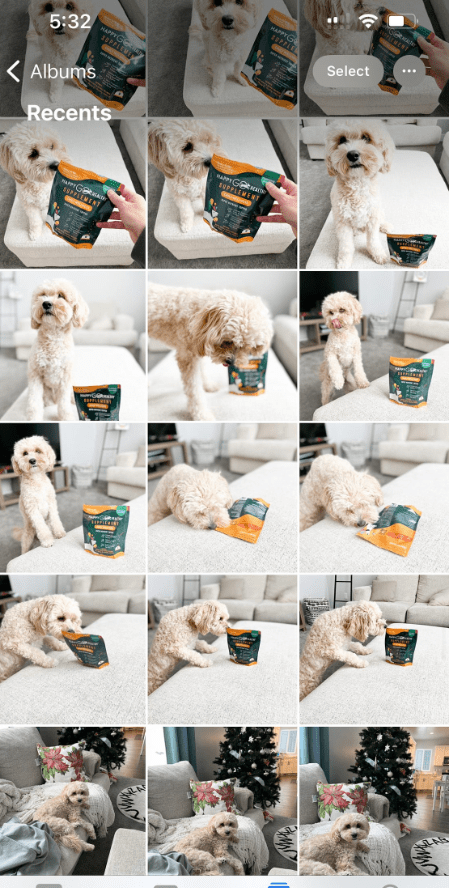

If you are going to take 100s of pictures of your dog (like I do), be sure to have enough data/storage on your phone. I’m sure you already know frustrating it is when you go to try to take a pic in the perfect moment, but your camera is out of storage!
My recommendations that have been game changers for me:
- Get the Google Photos app: different from the Google Drive app, this has been so helpful in automatically backing up my photos on my phone to the cloud and allowing me to bulk delete photos from my phone once they’re backed up. Of course, you’ll want to back up your photos to more than just one place (it’s best to back up on different types of devices in addition to cloud storage in case something ever happens). I like to back up on Google Photos, Google Drive (for the really important photos), a hard drive, and my computer (only the really important photos). If you work on your photos (editing/uploading and whatnot) on your computer it might be more helpful to have them on your computer (but you really shouldn’t need to because everything you can do with photos on a computer you should be able to do just as well on a phone — read more about phone apps for editing HERE). If you take a BUNCH of similar photos in one session, Google Photos actually identifies similar photos so you can go through and delete extras. Its AI also automatically identifies screenshots so you can easily delete those too. If you’re in a hurry trying to edit photos, another nice feature is they’ll identify all the blurry photos so you can go through and automatically delete those too.
- Pay for extra iCloud/Google storage if needed: I am such a cheapskate when it comes to paying for apps/services so I resisted this for SO long, but I now pay $2.99 a month for a little extra iCloud storage (see their rates HERE) and about $30/year for extra Google Drive storage (see their rates HERE). For me, it’s 100% worth it bc it saves me from having to spend hours deleting emails just to make room for the stuff that matters (find helpful tips/apps to help clear your emails HERE).
- Keep your photos organized into albums: I am the WORST at digital organization, but this really is a super easy way to stay organized. In the iPhone apple photos app, you can easily add new albums and heart favorites to prioritize your favorite photos and know which ones you can delete.
What tips do you have? Did you find any of these tips helpful? Let me know in the comments below.
Follow all of my adventures/recommendations~
Don’t forget to follow me on all my doggo adventures and see what life’s like with an f1b cavapoo! ⬇️
🐾Website: honeyboothecavapoo.com
🐾Instagram: @honeyboothecavapoo
🐾Pinterest: honeyboothecavapoo
🐾Youtube: @honeyboothecavapoo
🐾Email: honeyboothecavapoo@gmail.com
Shop my small biz codes for a discount:
🎀 food/treats: @chippintime CODE: HONEYBOOTHECAVAPOO
🎀harness: @lucyandco CODE: LCHONEYBOO
🎀 leash/hygiene: @sleepycottonco CODE: HONEY_BOO10
Shop my recommendations for doggo grooming/care products ⬇️






 Honey Boo the Cavapoo Blog
Leave a comment